Most homeowners know exactly how many solar panels they have on their roof, but have zero idea what is actually converting that power on the side of their house. When your system drops offline, the panels are rarely the problem—it is the inverter. And "I have 24 panels" is not a diagnostic specification. A solar array is a decades-long hardware investment tied to a localized installation company that may not exist in five years. If you cannot identify the exact machine acting as the brain of your system, you are completely blind when it inevitably fails.
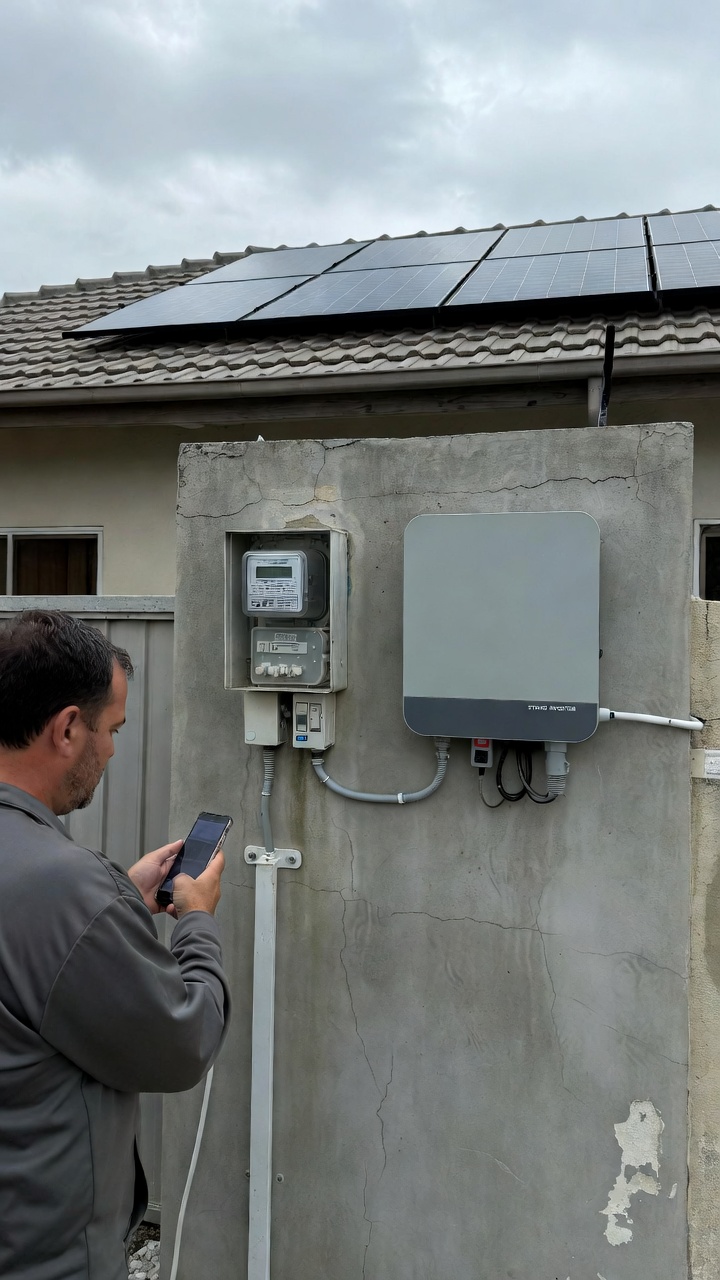
When a string inverter throws an error code, assuming the problem is on the roof guarantees a wasted diagnostic fee.
Installers go out of business, merge, or change names, leaving you without your original paperwork or access to their proprietary monitoring portals. A technician rolling up to a 15-year-old system needs to know exactly what hardware is mounted to the wall before they ever leave the shop. Without the exact brand, model, and serial number, you are paying a professional an hourly rate simply to drive to your house, read a sticker, and realize they don't have the correct replacement parts on their truck.
Solar hardware warranties are strictly enforced by manufacturers like SMA, Enphase, and SolarEdge. They typically offer 10 to 15-year coverage windows, but the burden of proof is entirely on the homeowner.
The data plate on your main exterior string inverter acts as the definitive baseline, prominently displaying the exact manufacturing date (e.g., "08/2010"). Because this hardware lives outside, absorbing daily UV damage, extreme heat, and weather, that paper label will eventually bleach out and peel away. If you lose the physical sticker to UV rot and your original installer vanishes, proving your system is still inside its warranty window becomes a massive administrative hurdle. A faded sticker is the difference between a free factory replacement and a $2,500 out-of-pocket hardware expense.
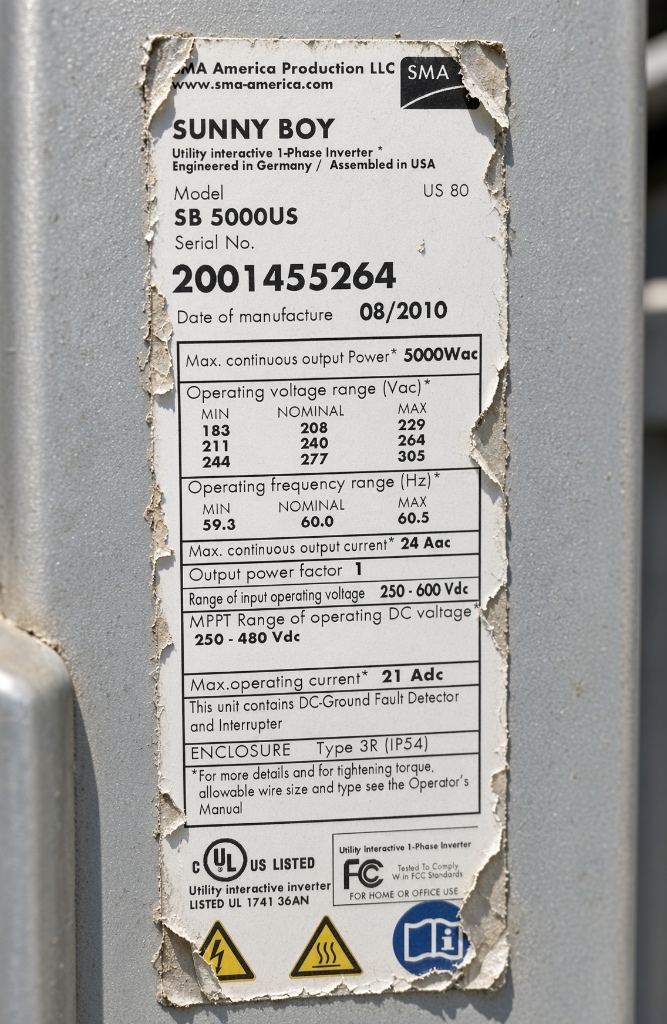
Even if you manage to read the faded data plate on your main exterior inverter, the sticker only identifies the metal box. It does not list the internal components that actually handle the high-voltage conversion, and those are exactly what fail. A grid-tie inverter is a complex ecosystem, and a specific model dictates highly specific internal circuitry.
You cannot buy these components at a local hardware store, and guessing the model line means ordering expensive circuitry that will not plug into your system.
Photograph the manufacturer data plate on your primary string inverter while it is still legible. Answer3 Vault uses an AI scanner to lock the exact brand, model, serial number, and manufacturing date into a permanent Digital Home Passport.
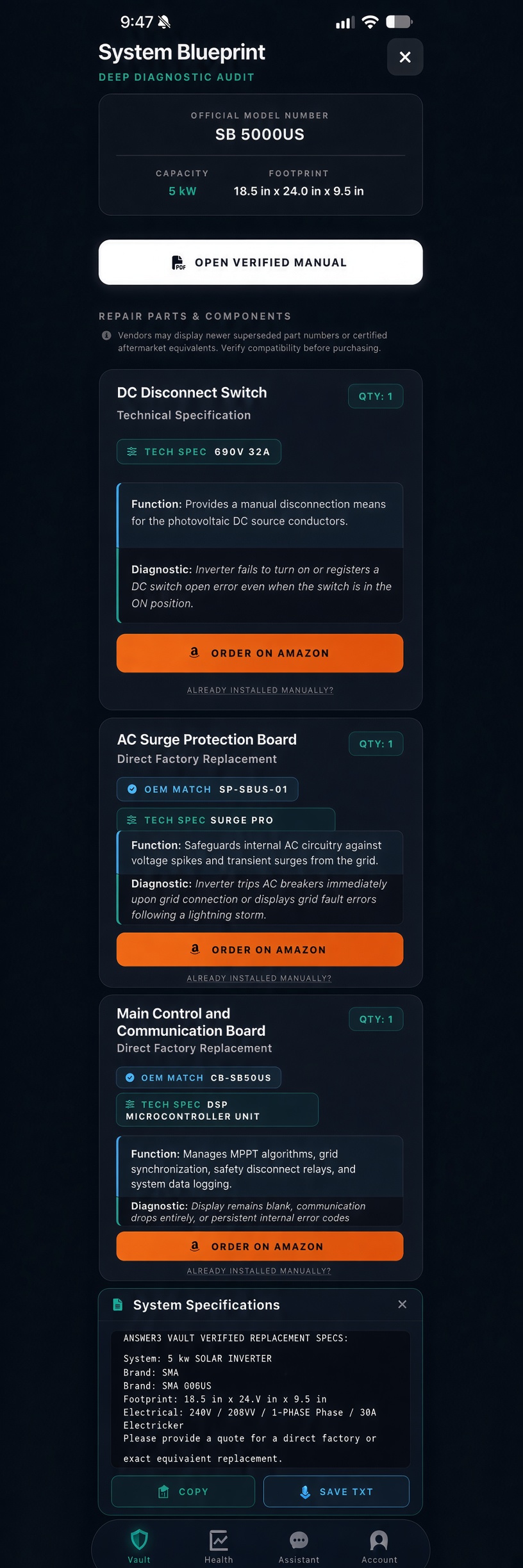
But the Passport does not stop at the sticker. The Vault’s Deep Audit automatically maps the hidden ecosystem inside that specific box. If you scan an SMA SB 5000US, the System Blueprint automatically attaches the exact OEM cooling fan, the correct AC surge protection board, and the precise DC disconnect switch required to fix it.
If your original installer disappears, your documentation does not. You own the exact blueprints required to source the correct internal components yourself, bypassing the need to blindly rely on a defunct portal or pay unnecessary diagnostic trips.

Exact-fit internal circuitry and verified replacement parts routed directly to Amazon. Stop guessing what failed inside the box and let the Home Passport build your deep diagnostic matrix automatically.
Download on the